Sunday, August 10, 2025
Saturday, January 25, 2025
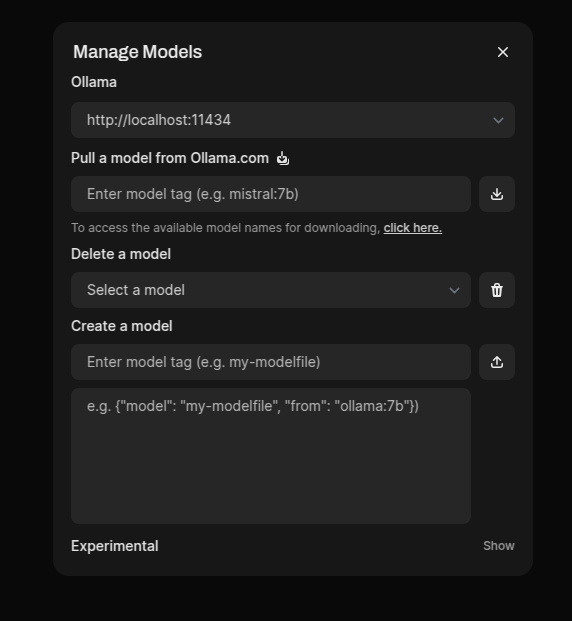
Ollama - open-webui - deepseek - CPU - local run
Conversations on it :
Let's build a mini-ChatGPT that's powered by DeepSeek-R1 (100% local):
Why do we need to run it locally when we can always run it from deepseek site?
Privacy mainly, You can run it from the site if you want but this is for companies or tech departments that want to run it locally and not worry about what data / info could be leaked
Okay, but why build your own front end when open webUI exists? I can build an identical local solution with 2 commands (ollama pull, docker run).
A company may want to incorporate it into their own site for specific purpose to incorporate their branding and feel
Various reasons, but yes if I was just messing with it I would just do what you mentioned
Monday, March 18, 2024
MicroService ASYNC Communication via Message Brokers [Spring, RabbitMQ, Microservice]
RabbitMQ DynamicQueue Names + replyTO semantic
@RabbitListener(queues = "#{dynamicQueueNameResolver.resolveResponseQueueName()}")
public void handleResponse(@Payload UserBalanceResponse response, org.springframework.amqp.core.Message message) {
System.out.println("UserController Got a rabbit message = " + response);
String correlationId = message.getMessageProperties().getCorrelationId();
correlationIdResponseMap.put(correlationId, response);
CountDownLatch latch = correlationIdLatchMap.get(correlationId);
if (latch != null) {
latch.countDown();
}
}
@PostMapping("/get-user-balance")
public ResponseEntity<String> getUserBalance(@RequestBody UserRequest userRequest) throws InterruptedException {
// Generate a correlation ID for the request
String correlationId = UUID.randomUUID().toString();
// Setup latch to wait for the response
CountDownLatch latch = new CountDownLatch(1);
correlationIdLatchMap.put(correlationId, latch);
// Send request to the BalanceService with the correlation ID
rabbitTemplate.convertAndSend("user_balance_request_queue", userRequest, message -> {
message.getMessageProperties().setCorrelationId(correlationId);
// Set replyTo to a dynamic queue based on correlation ID
message.getMessageProperties().setReplyTo(dynamicQueueNameResolver.resolveResponseQueueName());
return message;
});
System.out.println("UserController has SENT a rabbit message = " + userRequest);
// Wait for response with a timeout
latch.await(5, TimeUnit.SECONDS);
correlationIdLatchMap.remove(correlationId);
UserBalanceResponse userBalance = correlationIdResponseMap.remove(correlationId);
if (userBalance != null) {
return ResponseEntity.ok("User balance for user ID " + userRequest.getUserId() + " is: " + userBalance);
} else {
return ResponseEntity.status(HttpStatus.INTERNAL_SERVER_ERROR).body("Failed to get user balance for user ID: " + userRequest.getUserId());
}
}
BALANCE SERVICE
@RabbitListener(queues = "user_balance_request_queue")
public void processBalanceRequest(UserRequest userRequest, Message requestMessage) {
System.out.println("GOT userRequest = " + userRequest);
// Simulate processing the balance request
// In a real scenario, this could involve querying a database or external service
String userBalance = "Balance for user " + userRequest.getUserId() + ": $123"; // Example balance
// Construct the response object
UserBalanceResponse response = new UserBalanceResponse(userRequest.getUserId(), userBalance);
// Send the response back to the UserController using the replyTo queue specified in the request message
rabbitTemplate.convertAndSend(requestMessage.getMessageProperties().getReplyTo(), response, message -> {
message.getMessageProperties().
setCorrelationId(
requestMessage.getMessageProperties().getCorrelationId()
);
return message;
});
}
Friday, February 2, 2024
Got tired with Rust Borrow Checker ! Try WebAssembly instead :)
Saturday, April 23, 2022
Caching with Spring
@Cachable: Runs before actual method invocation
@CachePut: Runs after the actual method invocation
Unless: works for return value
Condition: works for method parameter
@Cacheable(value = "saveCache", key = "{#a, #b, #c}", unless="#result.result.size() > 0")
@CachePut(value="defaultCache", key="#pk",unless="#result==null")
@Cacheable(value="actors", key="#key", condition="#key == 'sean'")
Tuesday, March 2, 2021
Rest Post Mock Intellij Mockoon
Easy test your endpoints within the Ide : there is a world icon on the rest controller click on it
If you need to mock some requests Mockoon is a very handy tool for it
Tuesday, February 2, 2021
Thursday, January 28, 2021
SpringBoot StringKafkaTemplate Conductor Kafka Topic Producer Consumer
Wanna produce and consume from Kafka topics with SpringBoot ?
Wanna watch your Kafka Topics via Conductor ?
Wanna send some rest request to produce data to send your Kafka topic ?
Don't wanna write code ?
Just checkout and sit back :)
Your custom java annotation and check for it on the classes with reflection
Sunday, November 29, 2020
Wednesday, November 18, 2020
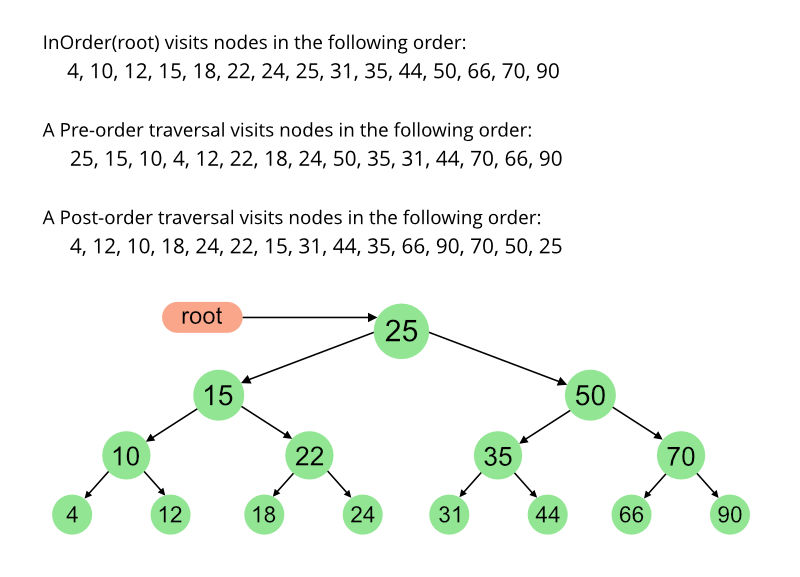
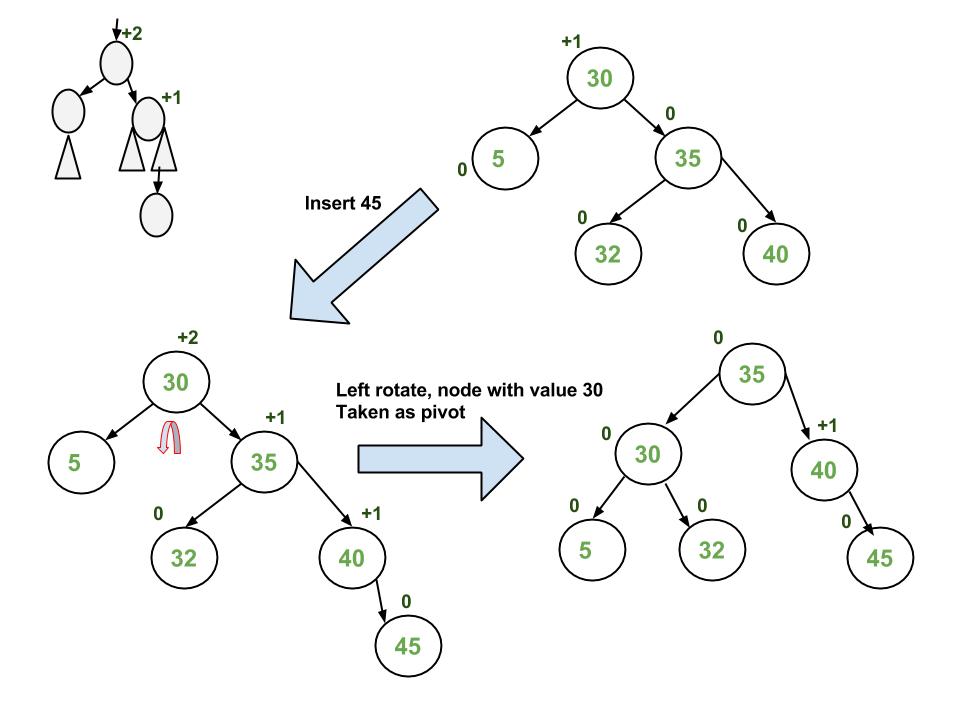
AVL TREE LEFT RIGHT DOUBLE ROTATIONS, DEPTH FIRST SEARCHs, BREADTH FIRST SEARCH, RECURSIVE and ITERATIVE TRAVERSALS, HEIGHT, DEPTH, SIZE, LEAF, NODE FINDERS, ROOT to LEAF NODE PATHS
- An insertion in the left subtree of the left child of X,
- An insertion in the right subtree of the left child of X,
- An insertion in the left subtree of the right child of X, or
- An insertion in the right subtree of the right child of X.
Sunday, February 9, 2020
REDIS STREAM - CLI
>. This special ID is only valid in the context of consumer groups, and it means: messages never delivered to other consumers so far.$. This special ID means that XREAD should use as last ID the maximum ID already stored in the stream mystream, so that we will receive only new messages, starting from the time we started listening. This is similar to the tail -f Unix command in some way.Friday, December 7, 2018
Sample Simple Stupid Redis Message Queue Producer Consumer Example
Sunday, December 2, 2018
Java 8 CompletableFuture parallel tasks and Timeout example
Suppose that you have a list of item (id list referring to a table, url list to fetch page data from internet, customer keys for location query from a map service etc...). And you will start some parallel tasks for those ids. But you don't want to wait no longer than your threshold. Also you want to collect the data from the returned "CompletableFutures" which are not timed out.
How can you achieve this while using a CompletableFuture ?
PS: There is no .orTimeout () option in Java 8. It is included in Java10. And other option is using .get(N, TimeUnit.SECONDS) but it will not gave you what you want.
Outputs :
In this example your main thread will be waiting 2 seconds for each uncompleted future.
I guess N*2 seconds waiting is not the thing that you expect to see here
And yes.. There is 20 seconds duration job and it is cancelled You have a minimal gain at that point but ! But if you would have 20 tasks ...The picture would be very nagative again .
Outputs :
ForkJoinPool.commonPool-worker-1 - - > will sleep : 0ForkJoinPool.commonPool-worker-5 - - > will sleep : 4
ForkJoinPool.commonPool-worker-3 - - > will sleep : 2
ForkJoinPool.commonPool-worker-4 - - > will sleep : 3
ForkJoinPool.commonPool-worker-7 - - > will sleep : 6
ForkJoinPool.commonPool-worker-1 - - > will sleep : 5
ForkJoinPool.commonPool-worker-2 - - > will sleep : 1
ForkJoinPool.commonPool-worker-6 - - > will sleep : 7
Tasks are created here, duration = 79
Getting results
Getting results
Getting results
ForkJoinPool.commonPool-worker-2 - - > will sleep : 8
Getting results
ForkJoinPool.commonPool-worker-3 - - > will sleep : 9
Getting results
ForkJoinPool.commonPool-worker-4 - - > will sleep : 20
Getting results
Getting results
Getting results
Getting results
Getting results
Getting results
Total duration = 13080
CollectedResults = [0, 1, 2, 3, 4, 5, 6, 7, 8, 9, java.util.concurrent.TimeoutException]
Wednesday, July 25, 2018
weak wifi , remote jmx
................HOW TO SEE CONNECTION POOL STATS ON COMMAND LINE VIA JMX ............................ Tool page : https://nofluffjuststuff.com/blog/vladimir_vivien/2012/04/jmx_cli_a_command_line_console_to_jmx wget https://github.com/downloads/vladimirvivien/jmx-cli/jmxcli-0.1.2-bin.zip unzip jmxcli-0.1.2-bin.zip cd jmxcli-0.1.2 java -jar cli.jar cp /usr/lib/jvm/java-8-oracle/lib/tools.jar lib/ chmod 777 lib/tools.jar list filter:"com.mchange.v2.c3p0:type=PooledDataSource*" label:true desc bean:$0 exec bean:"com.mchange.v2.c3p0:type=PooledDataSource[z8kflt9w1cicerh10mnh44|20c29a6f]" get:"numBusyConnections" exec bean:"com.mchange.v2.c3p0:type=PooledDataSource[z8kflt9w1jggz5o1xv9pi5|2101f18a]" get:"numBusyConnections"
Tuesday, May 9, 2017
Evolve ....
Collections.sort(itemList, new Comparator<Item>() { @Override public int compare(Item o1, Item o2) { return o1.getItemId().compareTo(o2.getItemId()); } });
Collections.sort(itemList, (o1, o2) -> o1.getItemId().compareTo(o2.getItemId()));
Collections.sort(itemList, Comparator.comparing(Item::getItemId));
Sunday, April 2, 2017
Wednesday, March 22, 2017
How Hadoop works
Hadoop divides the given input file into small parts to increase parallel processing. It uses its own file system called HDFS. Each spitted file is assigned to the mapper which works on the same physical machine with the given chunk.
Mappers are processing small file chunks and passing their processing results to context.Mappers are processing splitted files (each chunk {piece of the main file} size = HDFS block size) line by line in the map function .
Hadoop supports different programming languages so it uses its own serilization/deseriliazation mechanism. That why you see IntWritable, LongWritable,etc types in the examples. You can write your own Writable classess by implementing the Writable interface according to your requirements.
Hadoop collects all different outputs of the mappers and sort them by KEY and forwards these results to Reducers.
"Book says all values with same key will go to same reducer"
map (Key inputKey, Value inputValue, Key outputKey, Value outputValue)
reduce (Key inputKeyFromMapper, Value inputValueFromMapper, Key outputKey, Value output value)
Hadoop calls reduce function for the each line of given file.
And finally writes the result of reducers to the HDFS file system.
See the WordCount example for better understanding : hadoop-wordcount-example
Friday, March 10, 2017
Kafka Basics, Producer, Consumer, Partitions, Topic, Offset, Messages
If you need to collect specific messages on the specific partition you should use message keys. Same keys are always collected in the same partition. By the way those messages are consumed by the same Consumer.
Topic partitioning is the key for parallelism in Kafka. On both the producer and the broker side, writes to different partitions can be done fully in parallel. So it is important to have much partitions for a better Performance !
Please see the below use case which shows semantics of a kafka server for a game application's events for some specifics business requirements. All the messages related to a specific game player is collected on the particular partition. UserIds are used as message keys here.
I tried to briefly summarize it... I am planning to add more post about data pipelining with:
Monday, March 6, 2017
Scalable System Design Patterns
3) Result Cache :
5) Pipe and Filter
7)Bulk Synchronous Parellel